Using CSS code within D365 Email Template
- Published
- Author
- Nguyen Van Hao
- Reviewed by
- Lloyd Sebag
- Type
- Trick
- Comments
- 5
CSS code within D365 Email Template
As you know, Dynamics 365 has a WYSIWYG editor in the email template. Sometimes you need to add complex HTML + CSS code to the template (for example, create a beautiful background for the email template)
Let's see how to do it !
Step 1: create a HTML template with HTML + CSS code
Open Settings \ Templates \ Email Templates
Create new email template
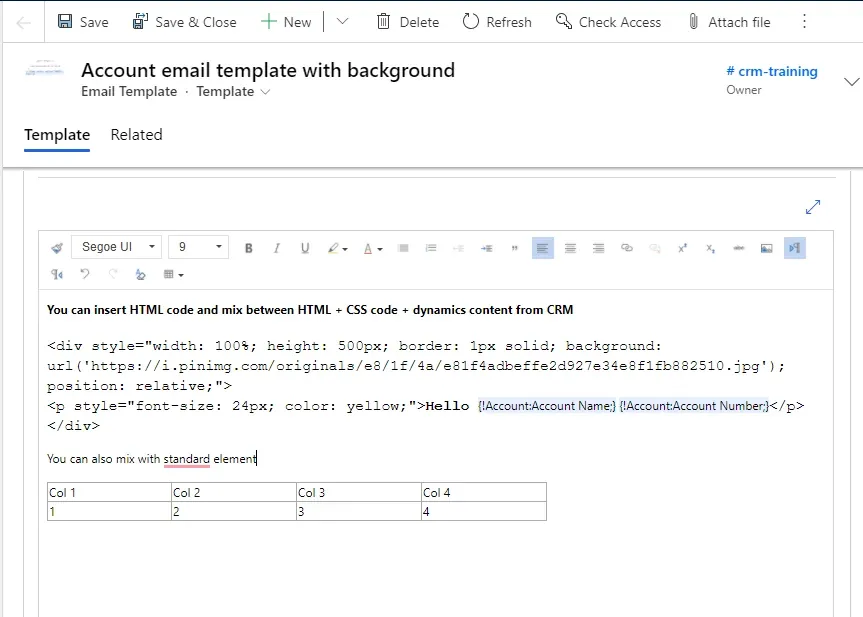
Email template mix HTML + CSS + Dynamics content
Step 2: create new email and insert email template to an email
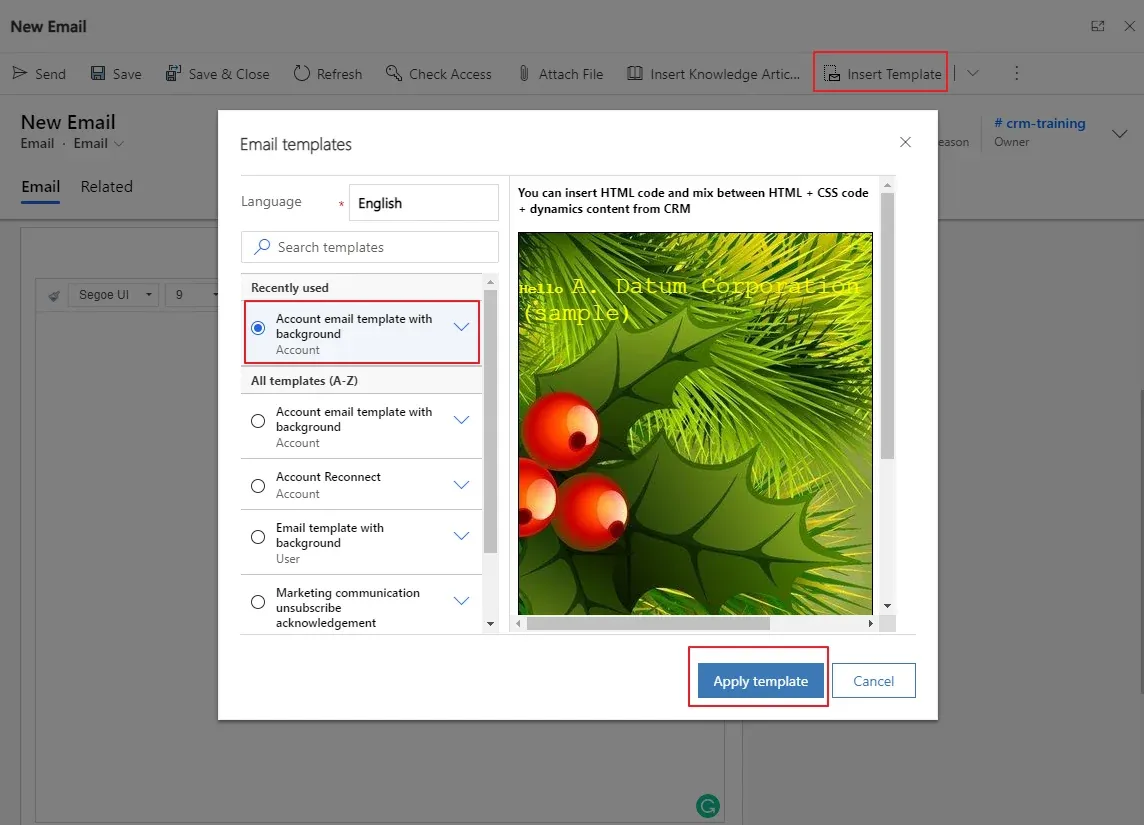
Create new email from template
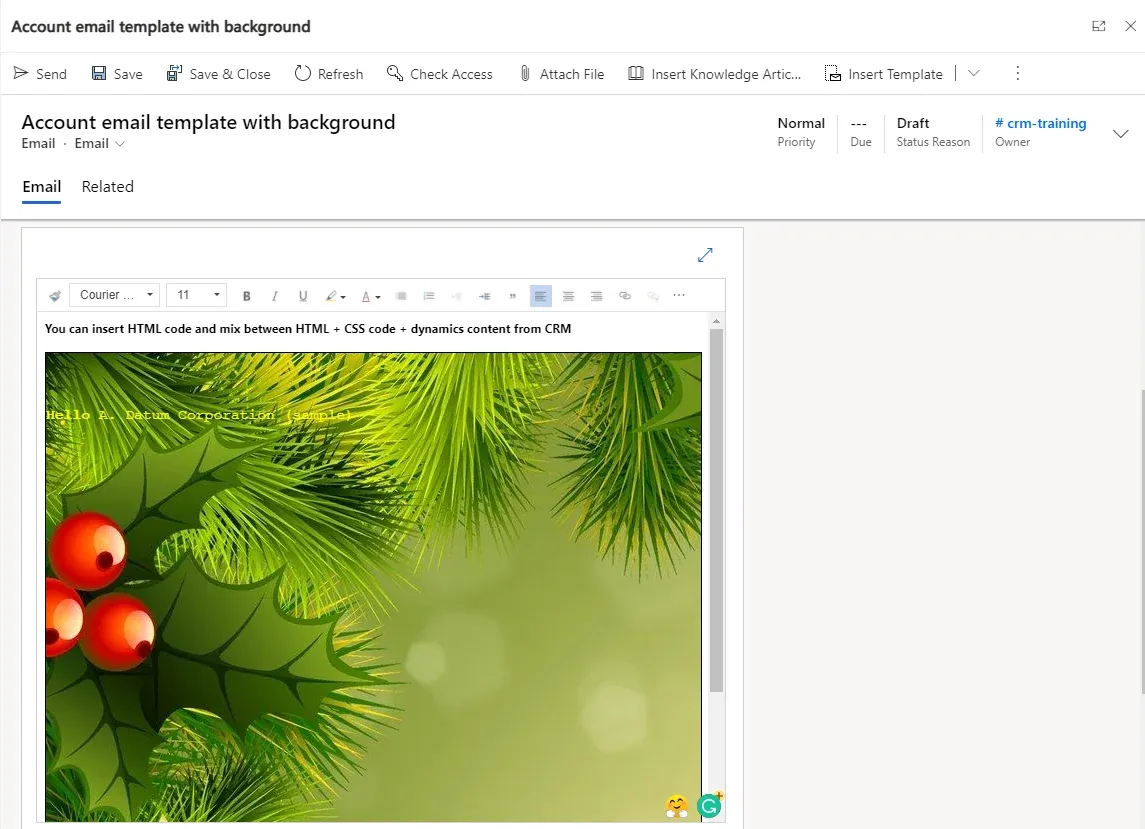
Limitations
- Using image: you need to use a public image url in the email template or use a image data in base 64 format
<img src="data:image/png;base64,iVBORw0KGgoAAAANSUhEUgAAB..."> But be carefull of the size of your content when using a base64 intrated image ! - Using CSS: you can use inline css only in email template
- HTML tag: not all HTML tags are support in the email template (for example the iframe tag is not support)
Conclusion
We can insert HTML code + CSS in email template. This is "hidden" feature. Microsoft doesn't explicity document this feature but we can use it. There are some limitations when using HTML code in email template (see detail in section "Limitations")
Comments 5
Comments were written on the former site and are kept as an archive.
Priya
Hello
we are trying to show rich text editor value output in the email template but it is coming with extra space and unable to add style to it.Nguyen Van HaoAuthor
Hi Priya,
Is it possible to send me the HTML/CSS value that you're using in the email template? I will have a look at it.
Regards,
Hao
Mariam Shahamat
Hello! Great article. I was wondering if there's a way to insert a subgrid of related records to the entity using CSS? Thank you!
Nguyen Van HaoAuthor
Hello Shahamat,
"To insert a subgrid of related records to the entity using CSS" => do you mean to insert the subgrid into a email template?
I think it is not possible.
Regards,
Hao
Timo
Hi, I am trying to set up a footer as a content block with 4 columns containing images.
logo (79% wide), icon(7% wide), icon(7% wide), icon(7% wide).When testing in mobile view, the images all break to the next line:
Logo
icon
icon
iconHow can I keep the images on the same line when viewing on mobile?
Here is the code generated in dynamics: